How to purchase an adult membership
Last reviewed:
-
Step 1
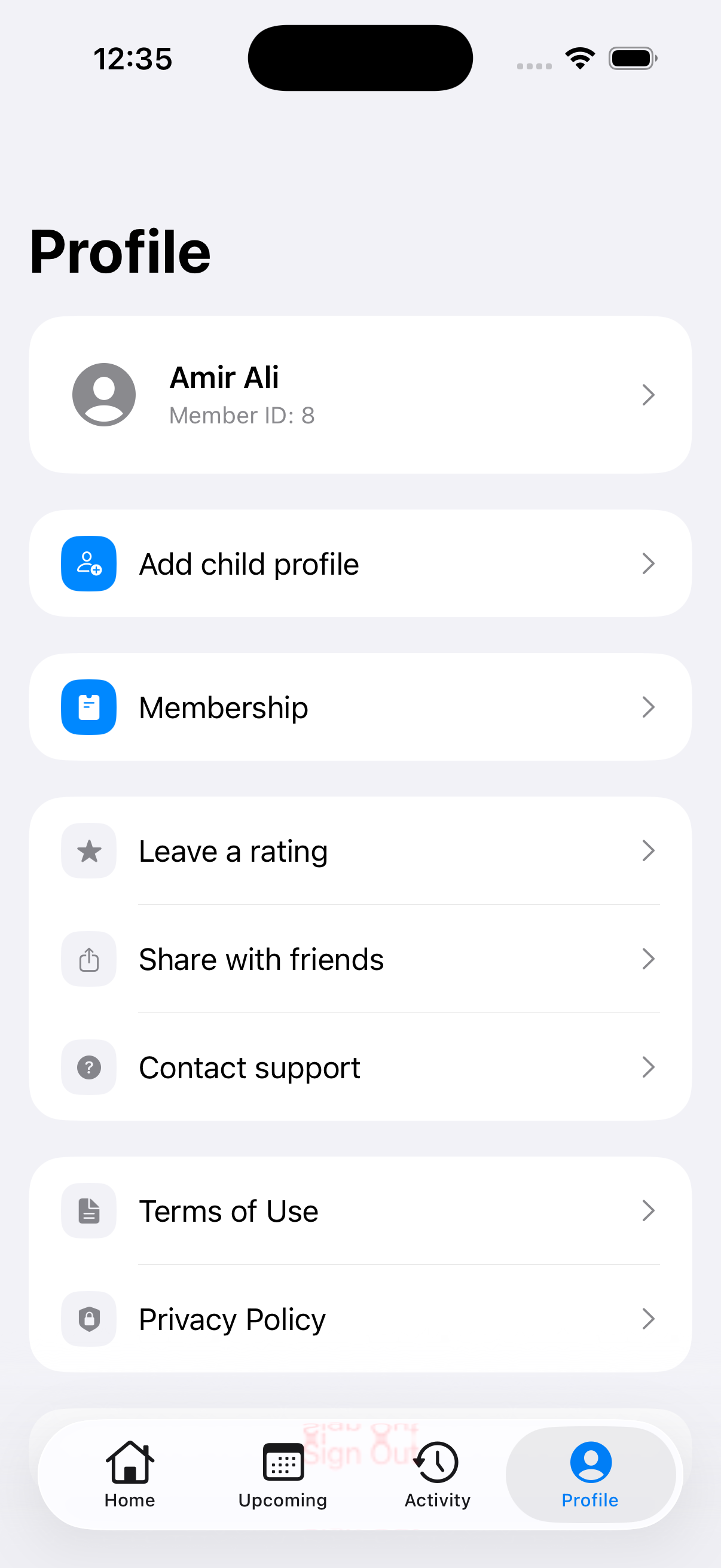
Open Membership
Tap Profile at the bottom of the app, then tap Membership.
-
Step 2
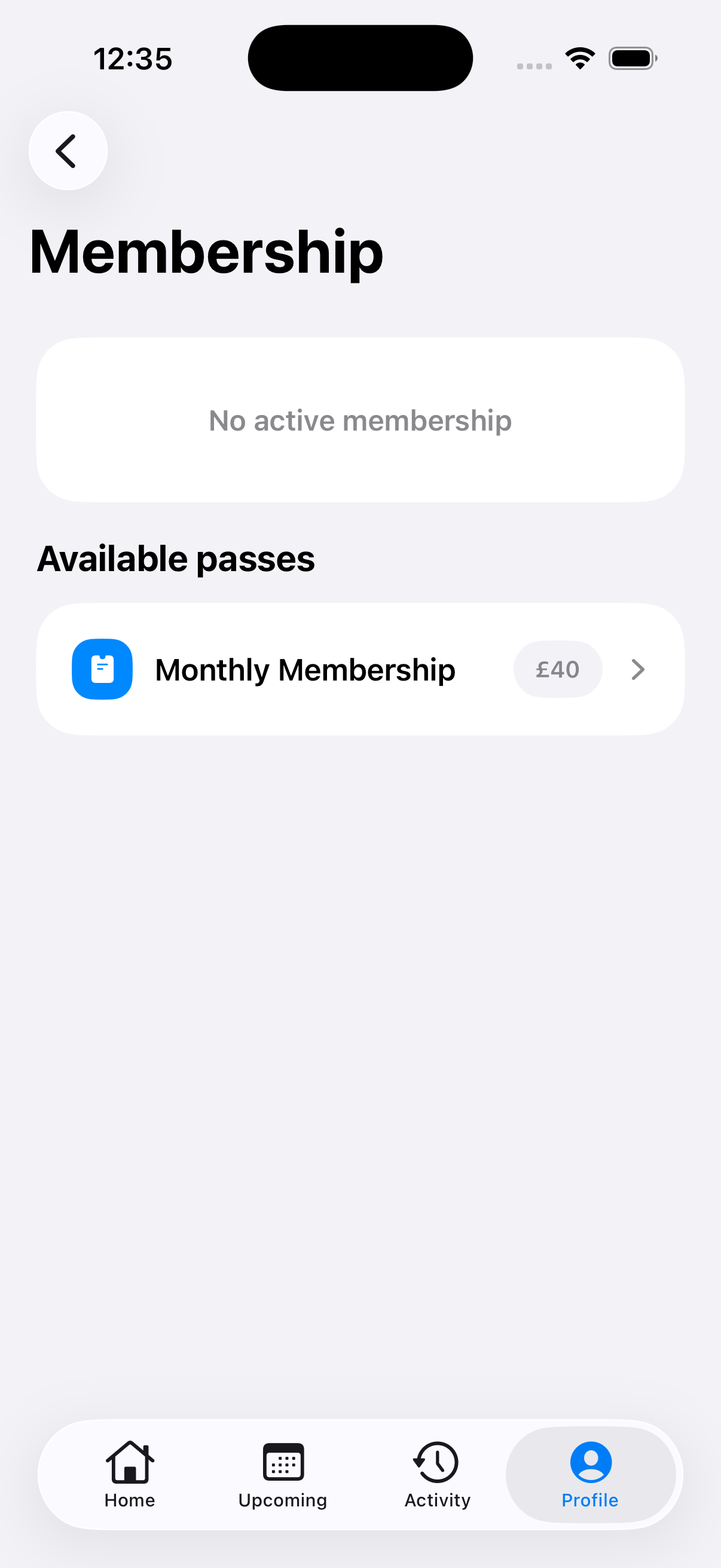
Choose a pass
Under Available passes, check the title and price, then tap the pass you want for your gym. The app copies your Member ID and opens Zeffy for payment.
-
Step 3
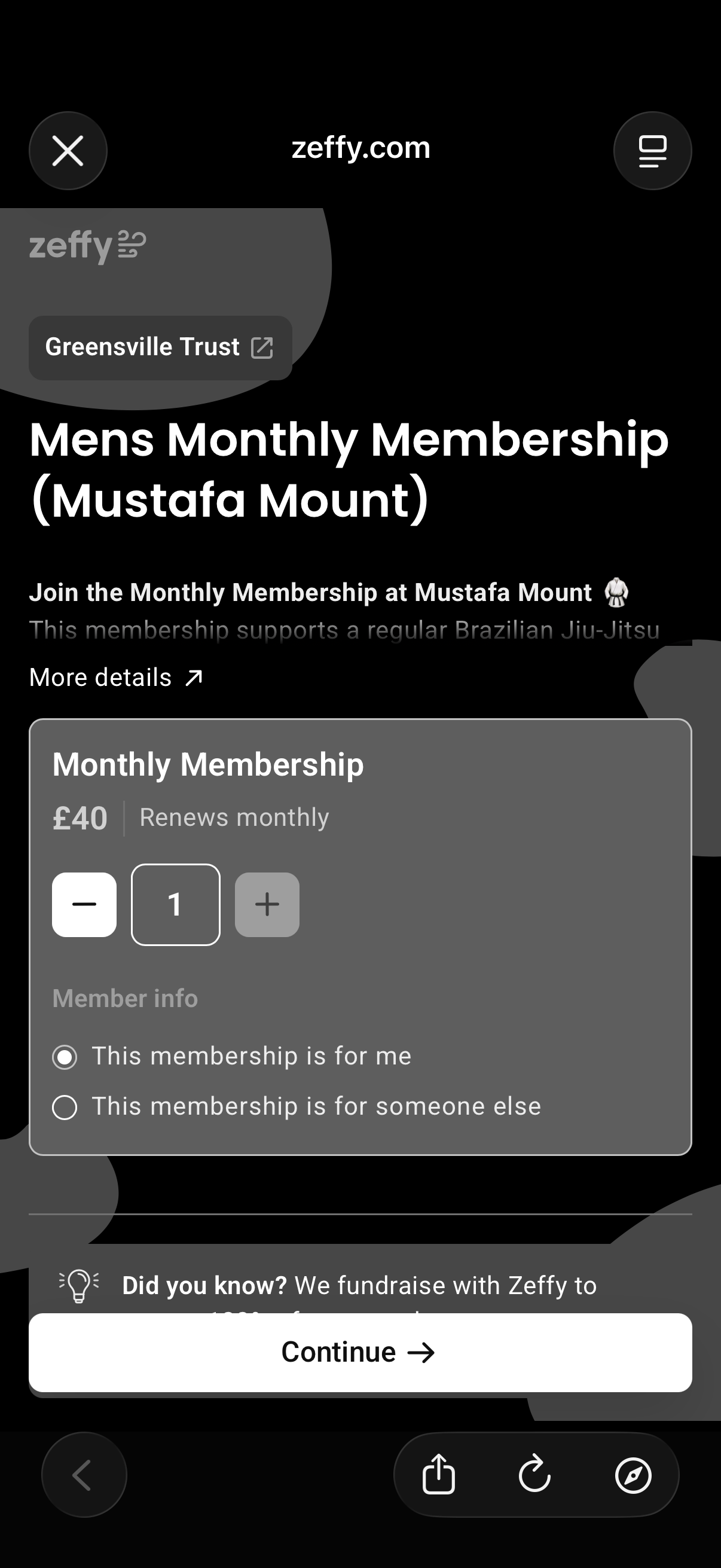
Select your membership
In Zeffy, tap Select for your membership. Choose This membership is for me, then tap Continue.
-
Step 4
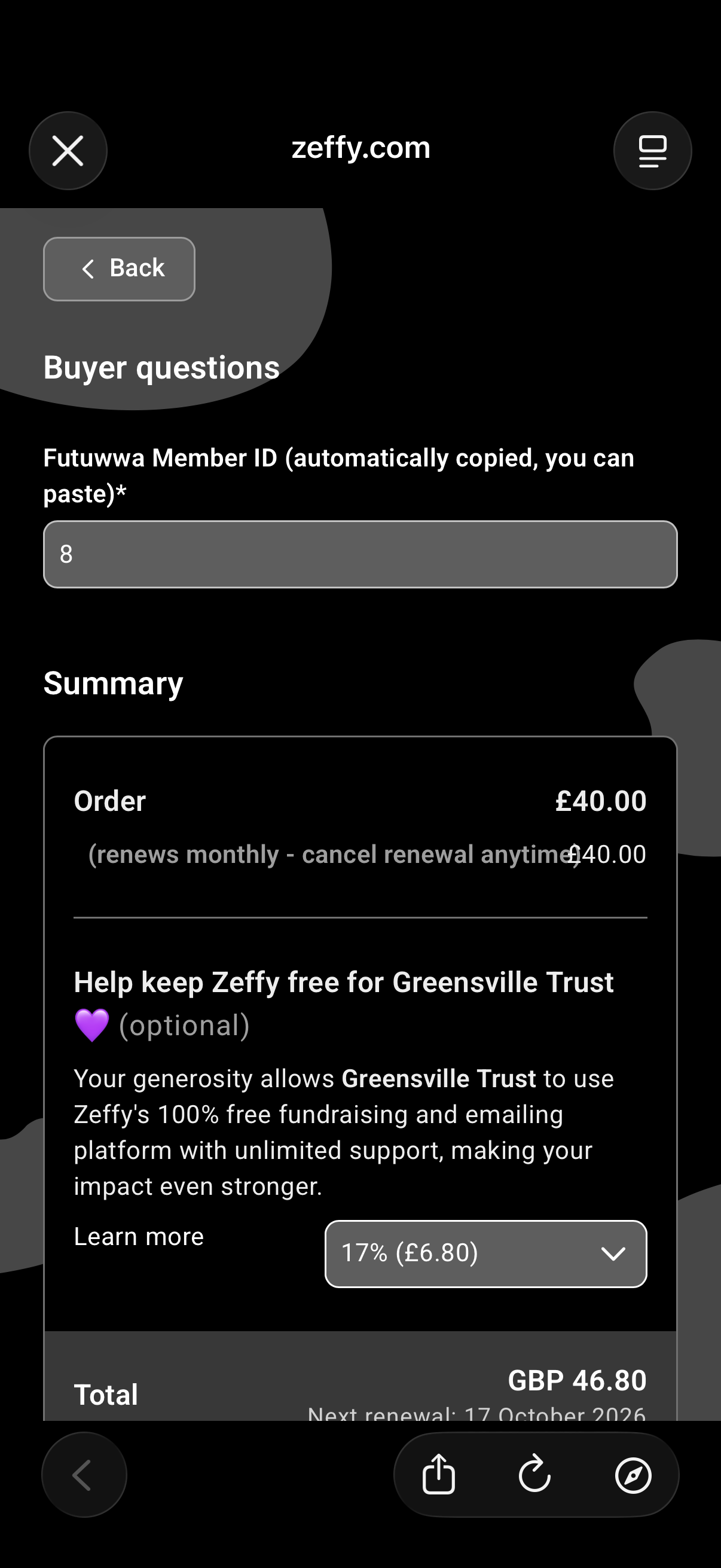
Enter your Member ID
Paste or enter your Member ID in Futuwwa Member ID.
-
Step 5
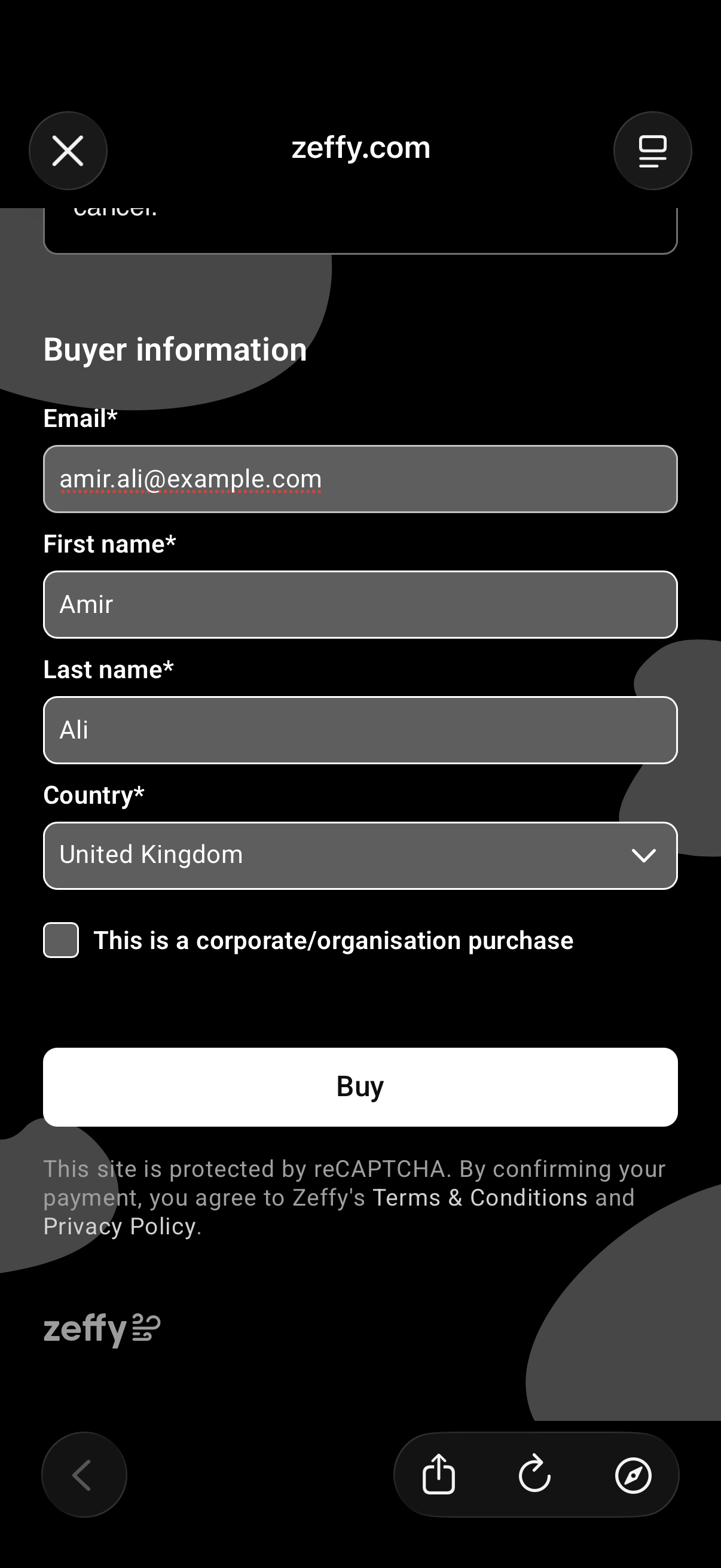
Complete payment
Enter your payment details and complete Buyer information, then tap Buy.
-
Step 6
Check your membership
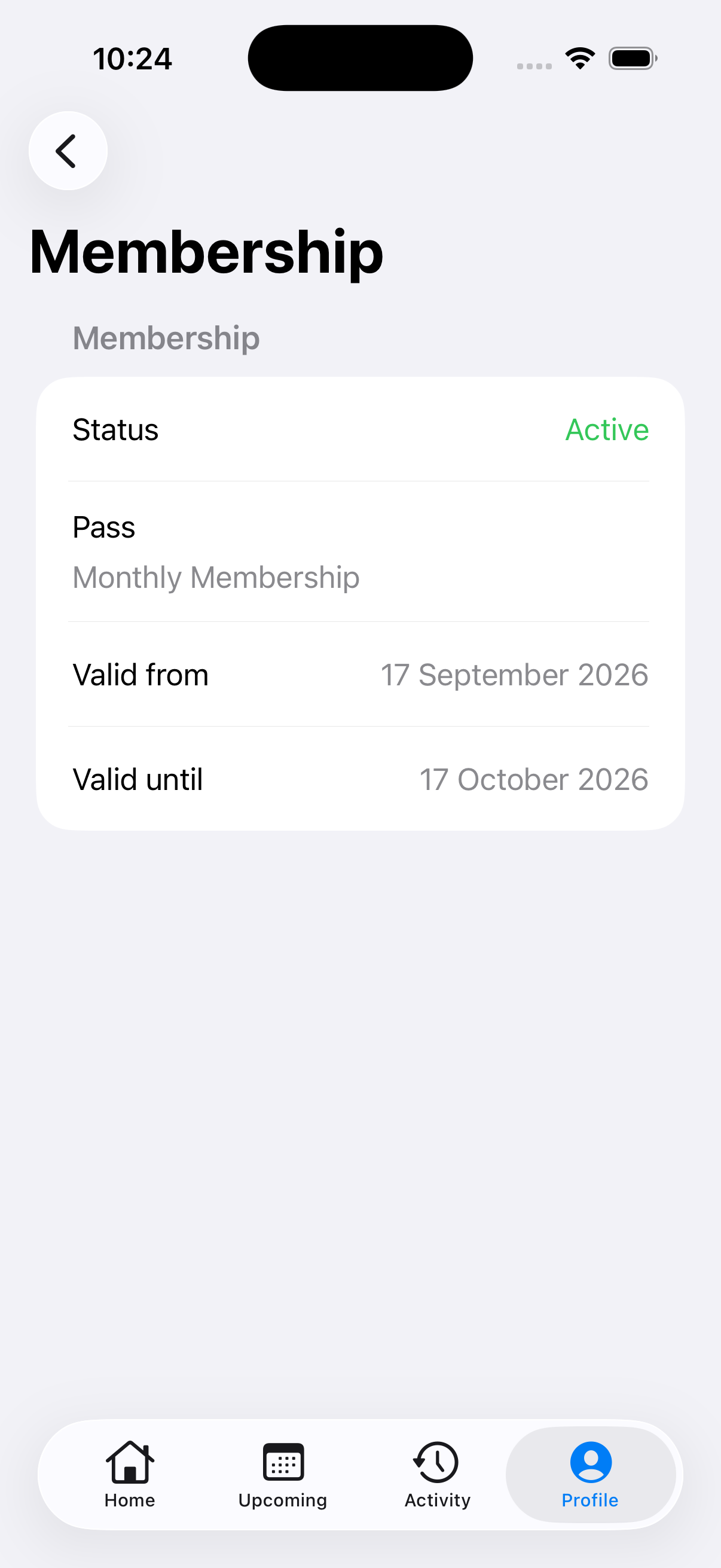
Return to Futuwwa and open Profile, then Membership. Check that Status shows Active.
If payment is still being verified, wait briefly and pull down to refresh. Do not pay again.