GET STARTED
Last reviewed:
You must be 18 or over to create an account. To register a child, create your own account first, then follow How to add a child profile.
-
Step 1
Download and sign in
Download Futuwwa from the App Store or Google Play, then open the app.
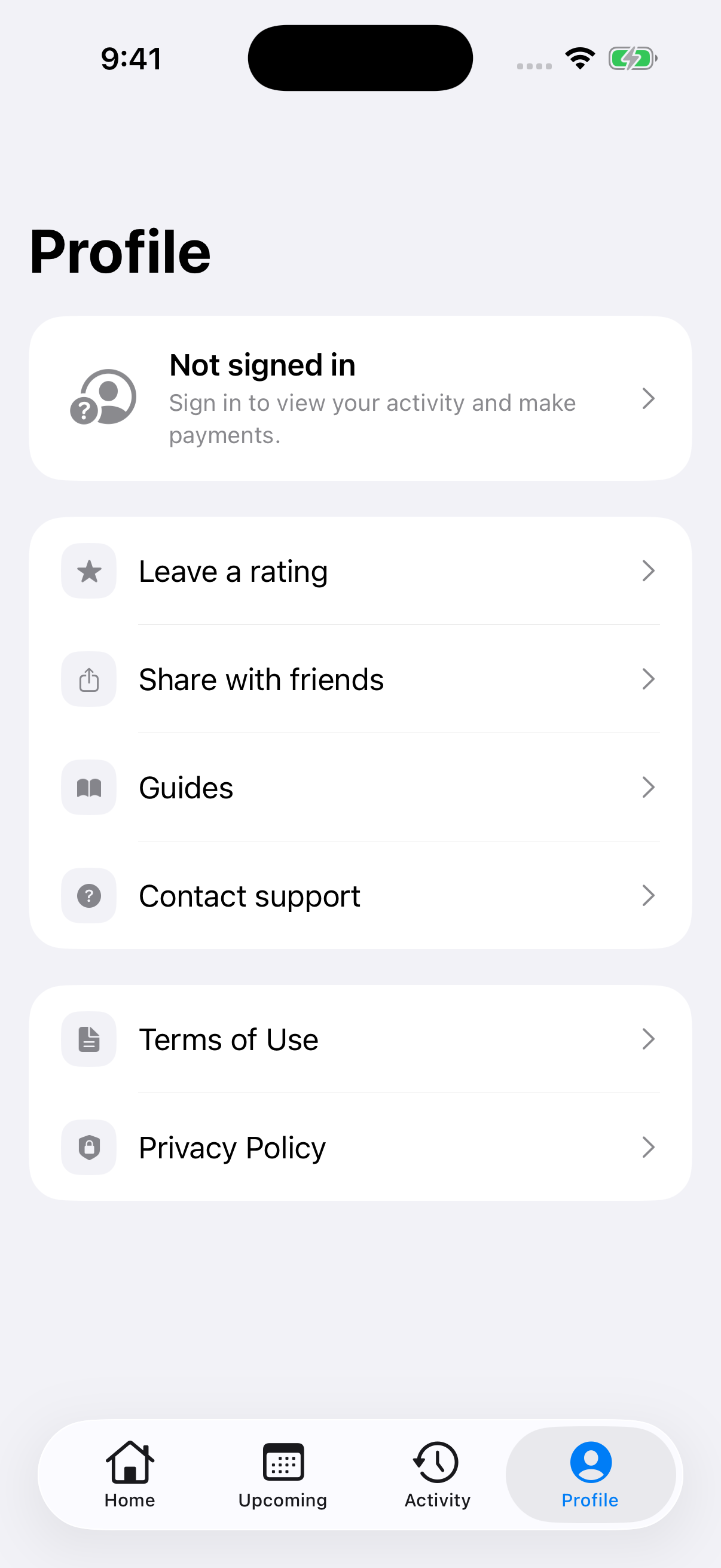
Tap Profile, then Not signed in. Sign in with Apple on iPhone or Google on Android.
-
Step 2
Complete your profile
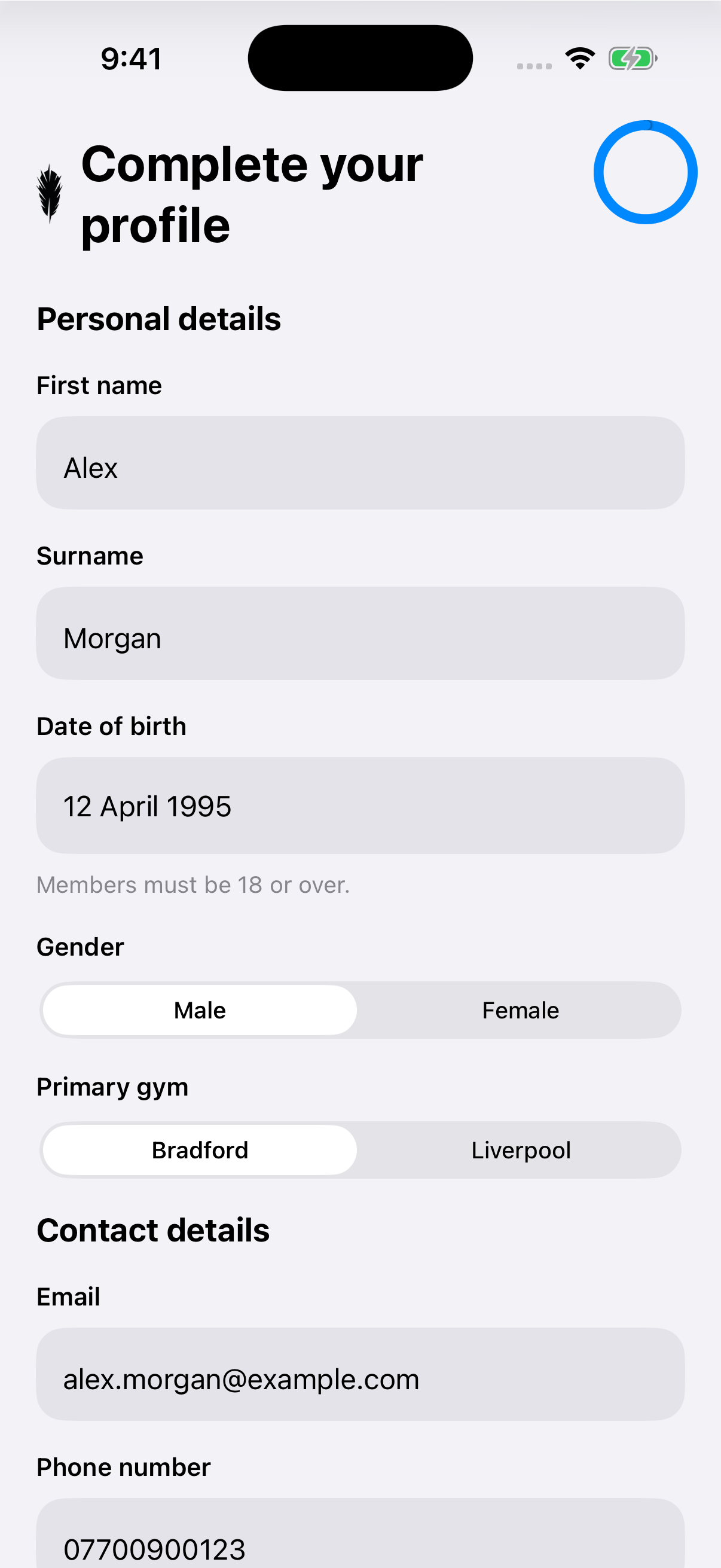
Enter your name and date of birth, select your gender and choose your Primary gym.
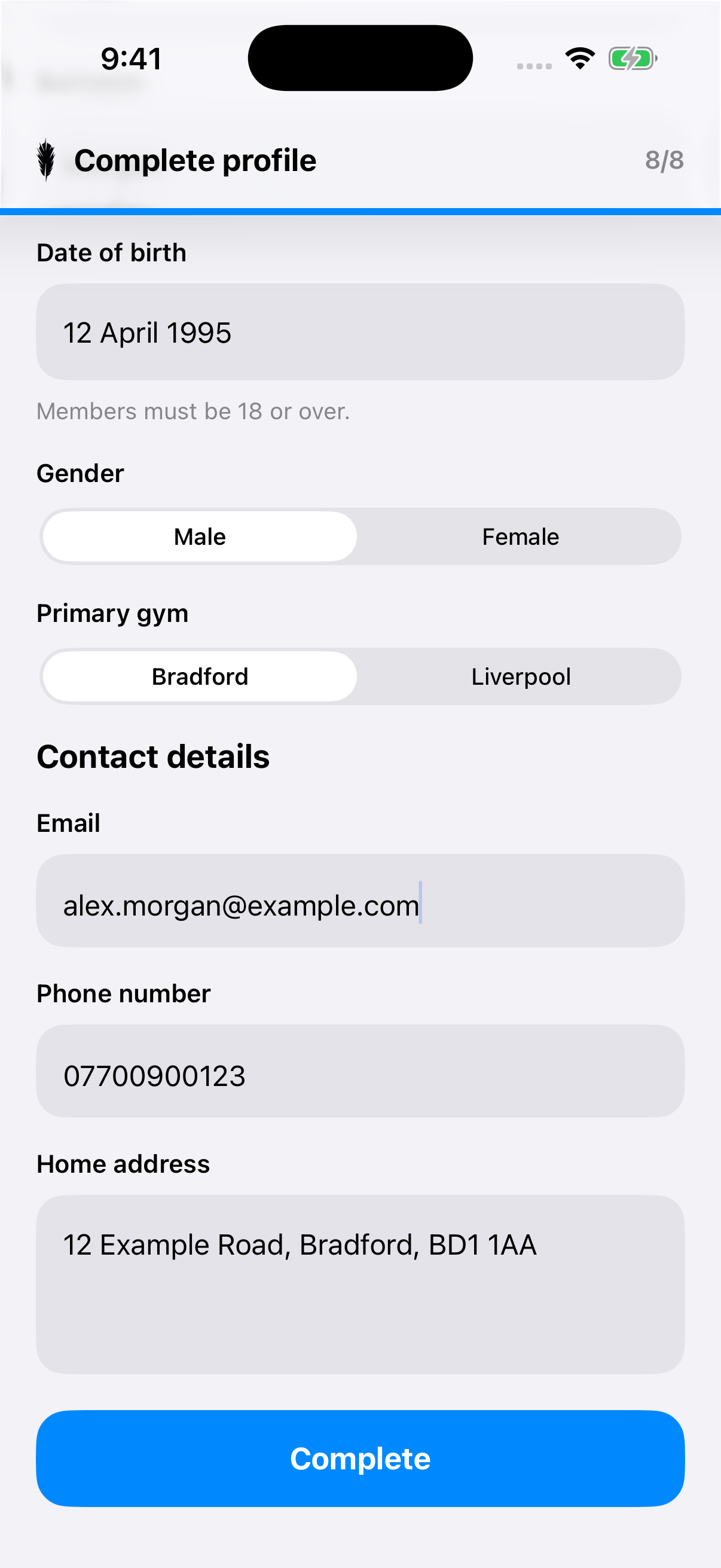
Scroll to Contact details. Check your Email, add your Phone number and Home address, then tap Complete.
-
Step 3
Read and agree to the waiver
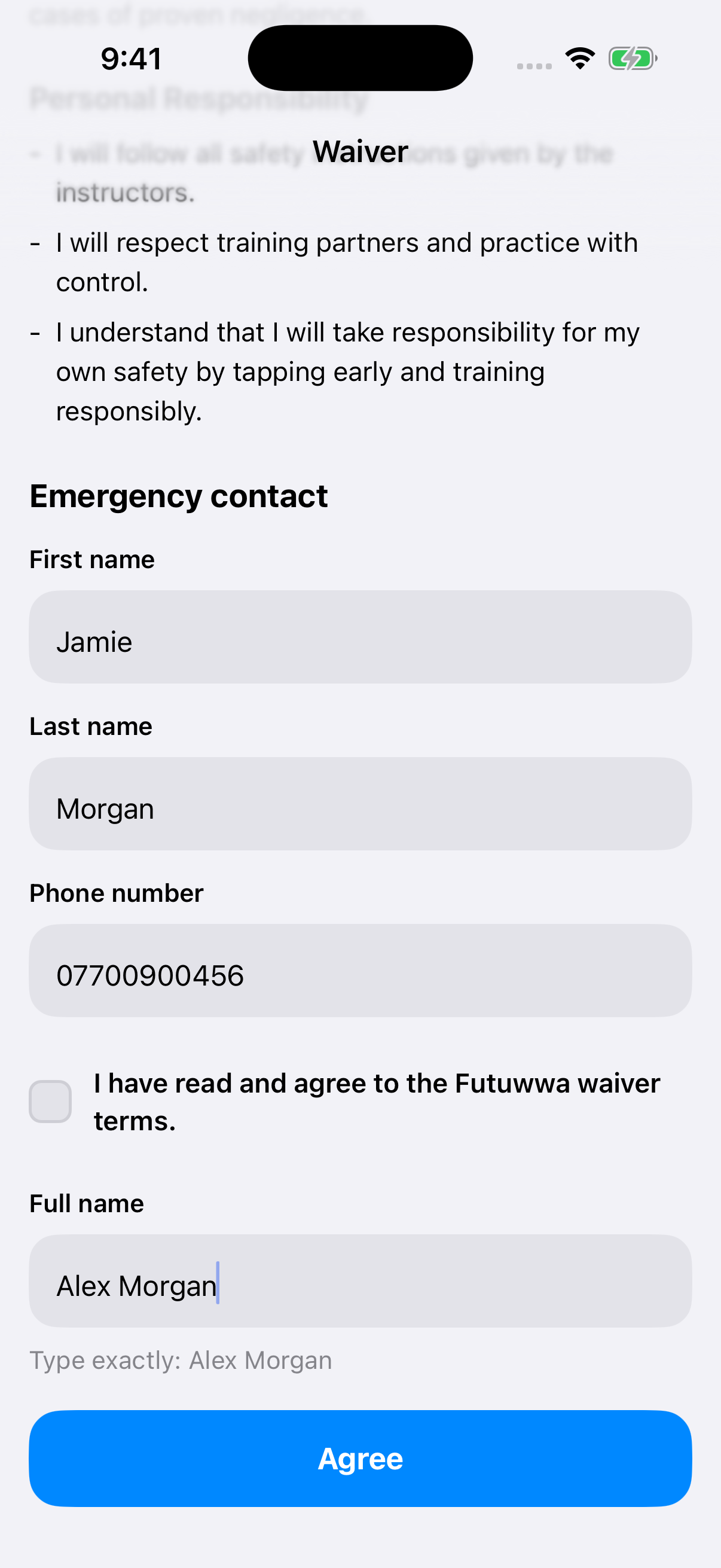
Read the waiver and add your emergency contact’s name and phone number.
If you agree to the terms, tick the agreement box and enter your Full name exactly as shown beneath the field. Tap Agree to complete registration.
-
Step 4
You’re registered
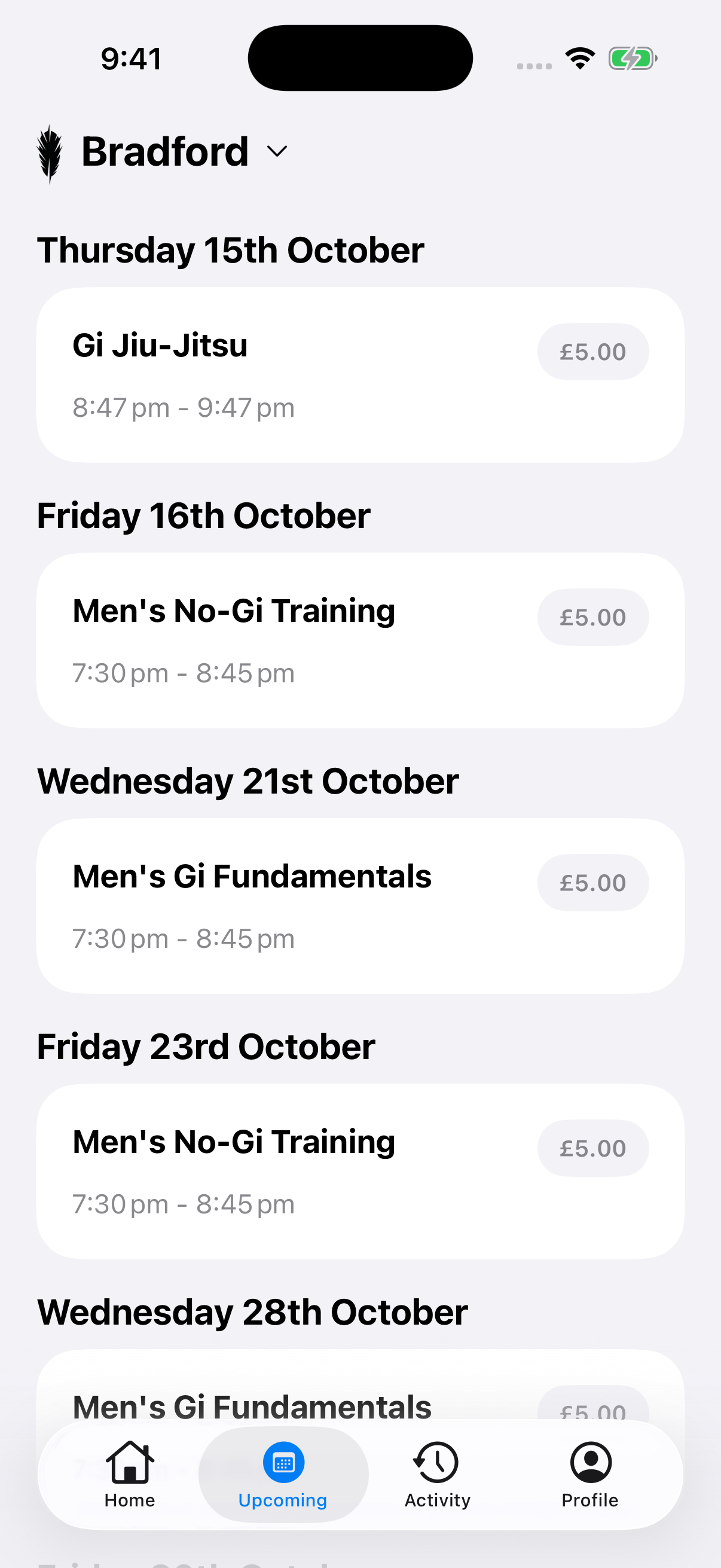
Your account is ready. Open Upcoming to browse sessions.