How to add a child profile
Last reviewed:
-
Step 1
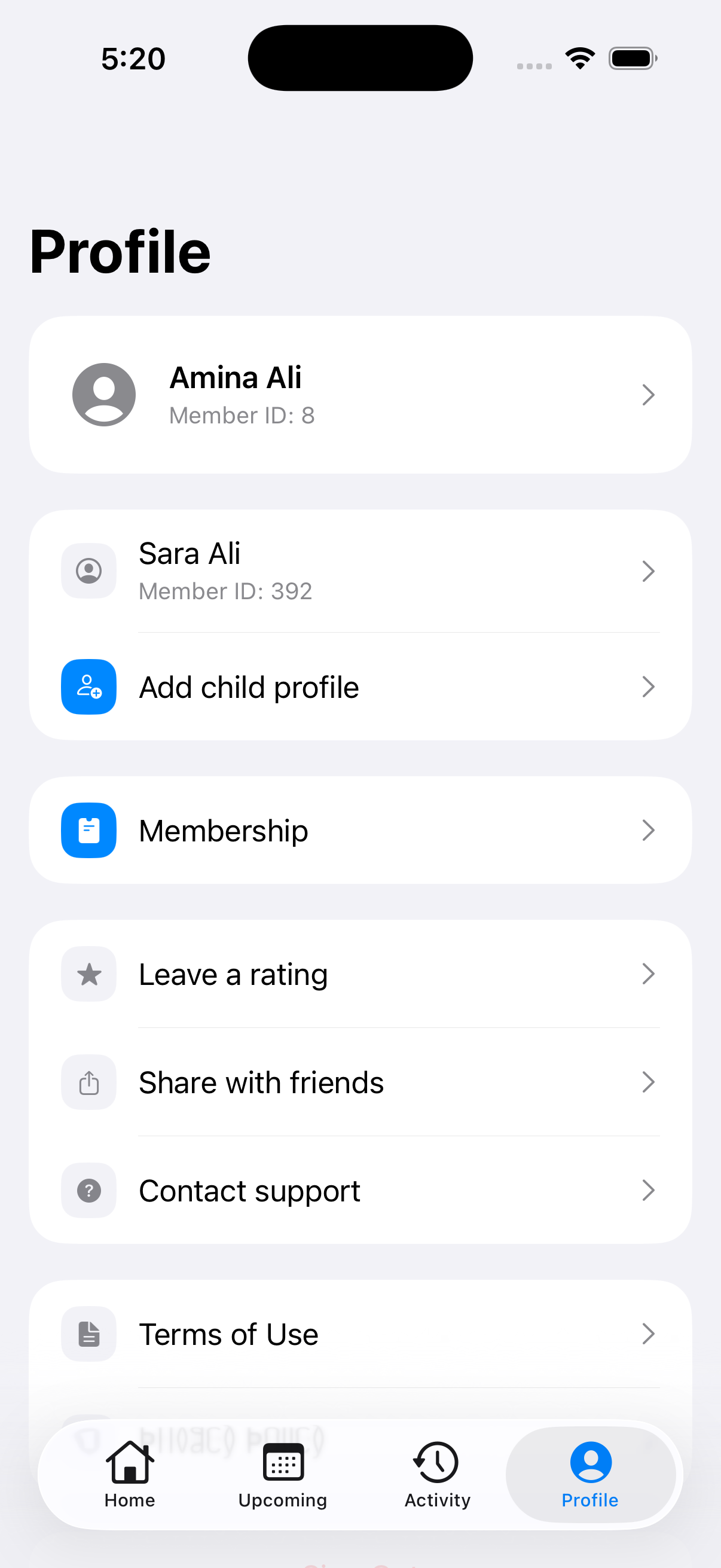
Open Profile
Tap Profile at the bottom of the app, then tap Add child profile.
-
Step 2
Enter your child’s details
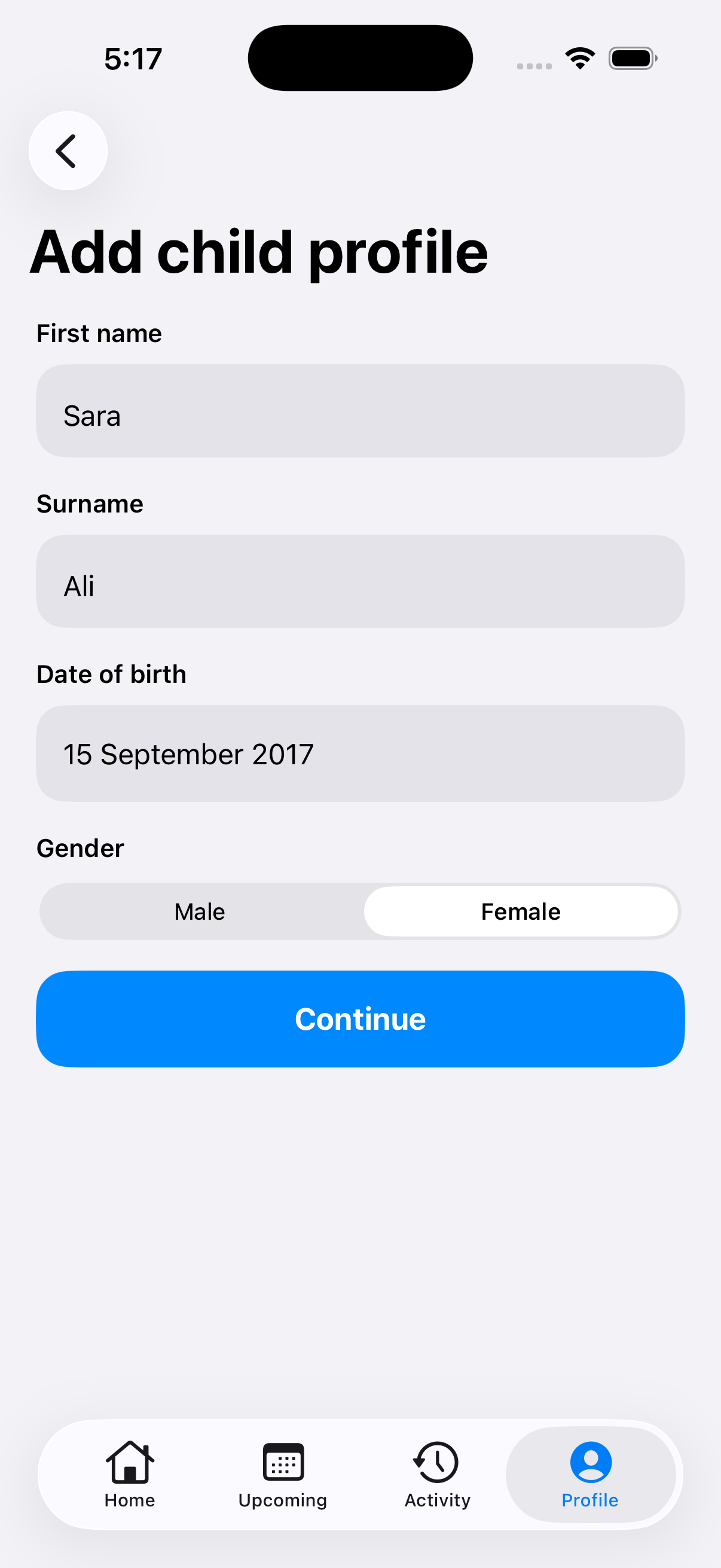
Enter their First name and Surname. Tap Date of birth, choose their date of birth, then tap Done. Select their Gender.
The form starts with a date and gender selected. Check both carefully, including the birth year, then tap Continue.
-
Step 3
Read your child’s waiver
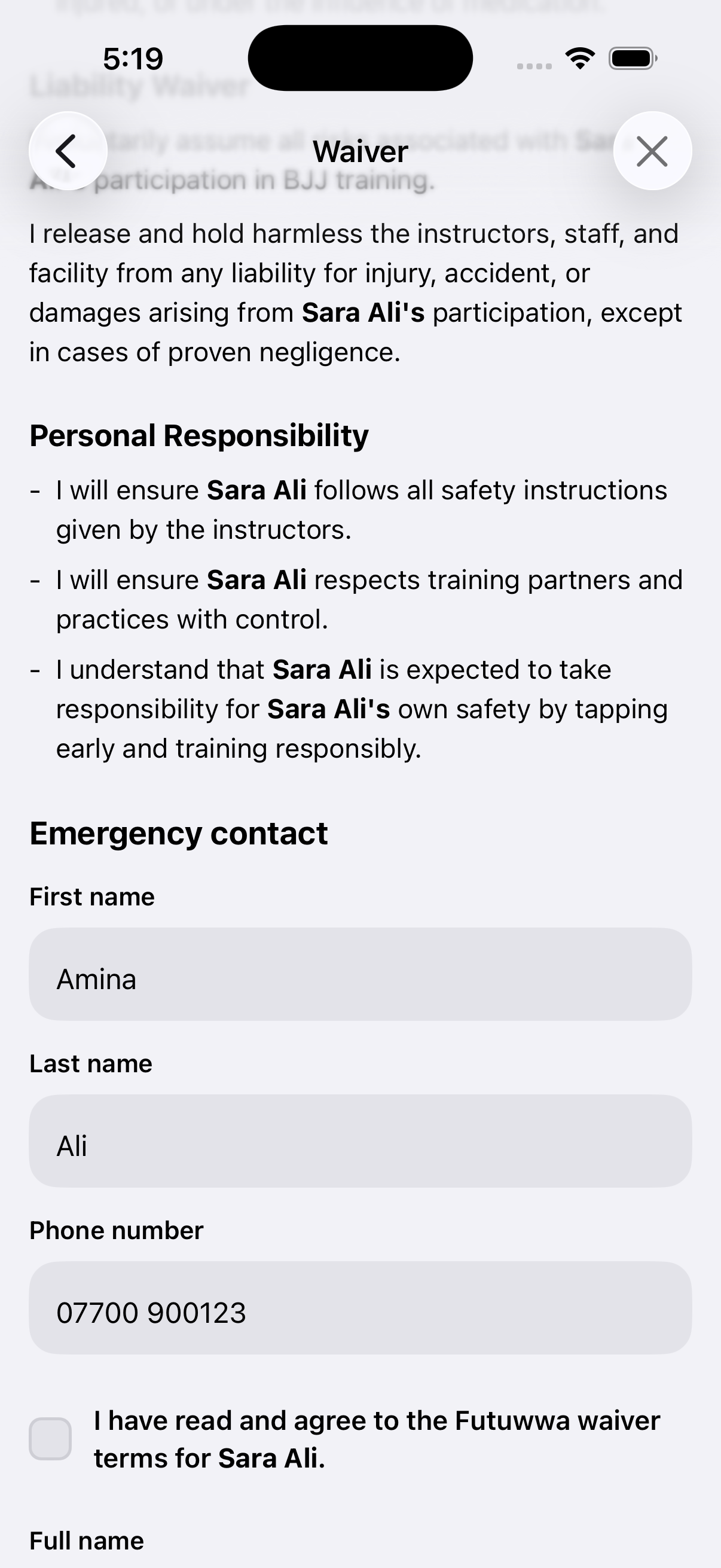
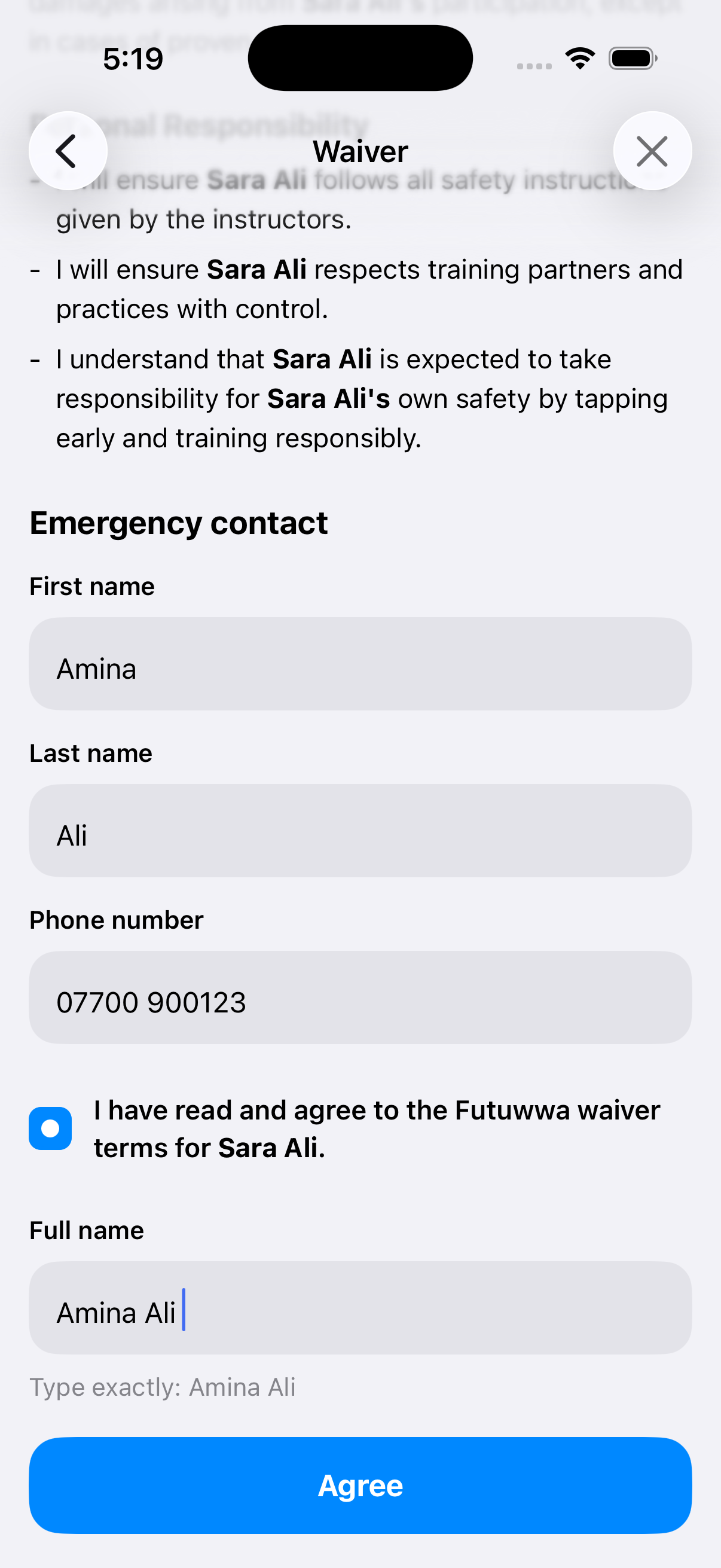
Read the waiver for your child, then scroll down to Emergency contact.
Your own name and phone number are filled in automatically. Check these emergency contact details and change them if needed.
-
Step 4
Complete the agreement
If you agree to the waiver terms, tick the agreement box. In Full name, enter your own full name exactly as shown beneath the field.
Tap Agree and wait for the profile to save.
-
Step 5
Check your child’s profile
The app returns to Profile. Your child’s name and their own Member ID now appear here.